How to recover deleted photos from your cell phone: complete step-by-step guide
Advertisement
Accidentally deleted them? See below for a complete guide with practical solutions and the most effective apps to recover your photos right away.
It seems impossible, but there are ways to bring back what was deleted.
Your photos may not have actually been deleted, and with the right apps, you can get them back!
Did you accidentally delete something and think it was the end? Maybe your photos are still there, just waiting for the right way to find them.
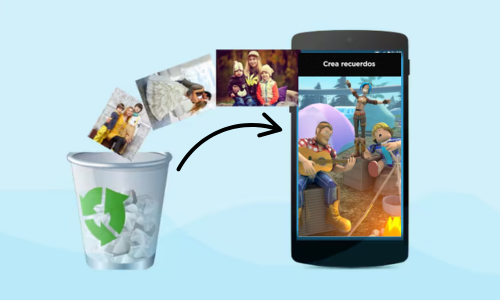
One of the best ways to recover photos is using specialized applications. Check out some of the benefits of these tools!
You will remain in the same website
Step 1 – Check the gallery trash
Before you think about downloading any app, check if the photos are still in your phone's trash.
So, both Android and iPhone have a temporary folder that stores deleted images for a limited time.
Access the Recycle Bin on Android
Open the Gallery or Google Photos app, tap Library, and then tap Trash (or Deleted Items).
There you'll see photos deleted in the last 30 days. If you find what you're looking for, simply select and restore it.
View the “Deleted” folder on your iPhone
On your iPhone, go to "Photos" > "Albums" > "Recently Deleted." Images remain there for up to 30 days before being permanently removed.
Then, just tap “Recover” to bring them back to the gallery.
Photos deleted from SD card do not go to recycle bin
If the photo was deleted from a memory card or through a cleaning app, it probably didn't go through the trash.
In this case, you will need to use a photo recovery application to try to rescue the file.
Step 2 – Use backup services like Google Photos or iCloud
If you didn't find anything in the trash, it's not the end yet.
Many phones automatically back up photos, which means your images may be saved in the cloud — even if they've been deleted from your device.
Recover deleted photos from Google Photos
On Android, Google Photos is usually enabled by default. To check:
- Open the Google Photos app
- Tap “Library” and then “Trash”
- See if the deleted photos are there (they are available for 30 days)
- If they are, select and tap “Restore”
If they're not in the trash, check the main tab — the app may have automatically saved them to another cloud location, even if you don't remember backing them up.

Restore Pictures from iCloud to iPhone
If you use an iPhone, iCloud can be your savior. To access it:
- Go to Settings > Your Name > iCloud > Photos
- Make sure “iCloud Photos” is turned on.
- Go to iCloud.com in a browser and go to “Photos”
- See if your images are still available for download or restoration
iCloud keeps deleted photos for up to 30 days and can be accessed from any device, even if your phone is low on space.

What if automatic backup is disabled?
If none of the above options work, backup may have never been enabled. In this case, the images won't be saved to the cloud.
The best solution now is to use a deleted photo recovery app — which we'll explain below.
Step 3 – Use trusted apps to scan your phone's memory
If your photos aren't in the trash or backed up, it's time to use a good app to recover deleted photos.
These apps perform a deep scan of the device's internal memory — and can locate images that no longer appear in the gallery.
What do these apps do?
First, they scan memory sectors where deleted files have not yet been overwritten.
In other words: even if the photo was deleted days ago, it may be "hidden" and still recoverable with the right tool.
Best apps to recover photos from your cell phone
Based on reviews, performance, and security, these are the most recommended apps:
- DiskDigger: ideal for Android, it scans memory even without root and recovers JPGs efficiently.
- DigDeep Image Recovery: simple, fast and straightforward, easily locates deleted photos, even from hidden folders.
- UltData – Tenorshare: Complete, compatible with Android and iPhone, recovers photos, videos and files from WhatsApp.

- Dumpster: works like a smart trash can that saves everything you delete, preventing future losses.
These apps help you recover deleted images from the gallery even if they were deleted a long time ago or out of the recycle bin.
Tips for using apps safely
- Download only from the Play Store or App Store to avoid scams and malware.
- Please read the requested permissions before installing.
- Choose apps with good reviews and active support.
If the photos are still not recovered, there is one last alternative.
Step 4 – What to do when even the apps don’t work?
If you've tried the recycle bin, backup, and even apps to recover deleted photos from your phone, but still haven't had any success, don't give up hope.
For these cases, there are more advanced — and professional — solutions that can help.
When is it necessary to use recovery software on your computer?
Some PC and Mac tools offer an even more thorough scan than mobile apps.
Thus, software such as Recuva, Dr.Fone and EaseUS MobiSaver can access deeper layers of memory, including formatted or corrupted SD cards.
These programs are ideal when you need to recover permanently deleted photos, or when your phone no longer turns on and you can only access the storage via a USB cable.
Is it worth seeking professional help?
If your deleted photos are really important, seeking out a specialized data recovery service may be your best option.
Therefore, there are technicians who work with advanced software and specific equipment to restore files even in extreme cases.
Is it more expensive? Yes. But in some cases, it's the only option.
And when nothing works?
Unfortunately, if the deleted data has already been overwritten (i.e. replaced with new files), recovery becomes nearly impossible.
Therefore, it's best to act quickly, avoid saving new content on your phone, and follow the correct steps as soon as you notice the deletion.

Top 5 Casual Dating Apps
5 casual dating apps that will transform your connections into light, practical, and hassle-free experiences!
Trending Topics

Learn how to earn Robux, get epic skins, and have rare pets without any hassle!
Discover how to safely earn Robux, epic skins, and adopt rare pets on Roblox. Get tips for creating games and growing your account!
Keep Reading
Save up to 70% on early morning flight deals
Want to travel for less? Discover the best deals on early morning flights and secure your airfare with unmissable discounts!
Keep Reading
Complete guide: How to use apps to identify plants on your cell phone
See how to use apps to identify plants and turn your cell phone into a botanical guide with one click!
Keep ReadingYou may also like

15 hobbies to take care of your body and mind
Discover 15 amazing hobbies to relax, improve your mental health and find more balance in life.
Keep Reading
Which satellite app to choose? Compare the best options to explore the world
Discover the best satellite app to explore cities and monuments with incredible images and interactive maps in real time!
Keep Reading
Free yoga apps to help you relax on the go
Discover how yoga apps can transform your routine, improve your flexibility and promote physical and mental balance.
Keep Reading


